1
Link touching letters to spell a word.
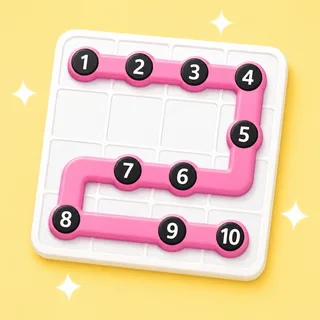
Any two letters that touch — sideways, down, or diagonally — can join. Drag or tap a chain of them and the path lights up as it links.
Spell words from a grid of letters.
Three minutes of total silence, then an eruption of list-comparing. It's the Boggle moment every English teacher knows, minus the plastic tray.
Also known as: boggle · word find
That's the goal — no rules to teach. Here's how a round of Grid Words runs.
Any two letters that touch — sideways, down, or diagonally — can join. Drag or tap a chain of them and the path lights up as it links.
Three letters bank a point; stretch the same chain to six and it counts for far more. The board rewards the long shots.
The clock is the whole game. When it runs out every list is counted — then run it best-of-three and watch the scores climb.
The same Grid Words board works as a front-of-class hunt, a live device race, or take-home practice. Pick at press-play — nothing to rebuild.
Project one grid and the whole class — or table teams — hunt it together. Tables scribble their lists, then the finds go up on the shared board while the room argues the long ones. No devices, no codes.
Zero devices · zero prepStudents go to boardee.app/join and type the six-digit code — phones, tablets, chromebooks, any browser. Everyone races the same grid on their own screen, scored on the words they link before the timer.
Join code or QR · no student accountsShare one play link and the same grid becomes homework, a soft start or early-finisher work. Results roll in as each student finishes — words found and time, no chasing.
One link · results tracked for youType what you're teaching and AI seeds a grid stacked with its vocabulary. The class links touching letters — across, down, diagonally, turning corners — and the longer the word, the bigger the score.
The Arcade is a library of classroom games that all drink from the same topic box. When the grid's been picked clean, the identical word list becomes a crossword, a Wordee round or a matching game — same topic, new game, zero re-typing.
Ready-made from the Discover shelves, AI-built from your topic, or typed by hand — every door ends at the same play button.
Search the Discover shelves — curated games plus rounds shared by other teachers. Find one that fits and press play.
Type what you're teaching and the Arcade writes your Grid Words in under a minute. Check it, tweak anything, play.
Every Grid Words has a plain editor underneath — your exact list, row by row, no AI in the loop.
Every Arcade game starts from the same box: type what you're teaching and the content writes itself — questions, words, clues — ready for the board at the front of the room.
Game types in the Arcade — one topic box fills them all
From typing a topic to pressing play
Student accounts — a code and a first name is the whole login
Steps every time: type it, check it, play it
One to eight players per round. Students join from their own devices with a code, or you project one grid and tables hunt on paper before the big compare.
Only for individual scoring. On the projector it works beautifully as a whole-class or table-team game — everyone hunts the same grid.
Link touching letters to spell words before the timer ends — longer words score more. Stuck players can reveal a hint word if you allow it.
Yes. Grid Words, like every game type, is included on the free tier.
Never. Students join with a code and a name — no emails, no passwords. Teachers don't need an account to try it either.
Same three steps, different game. Type a topic and pick your shape.

Type it in, check the content, press play. The Arcade does the rest.