1
Type a yes-or-no question — the game answers it.
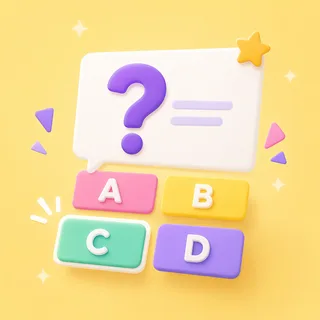
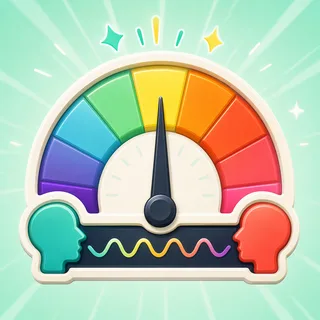
No one holds the secret and keeps a straight face — the game answers each question itself, with a green Yes, a red No or an amber Kind of.
Guess it in twenty questions.
The classic guessing game where nobody has to sit in the hot seat — the game itself answers every yes-or-no question. You get to just enjoy the deducing.
Also known as: twenty questions · yes or no game
That's the goal — no rules to teach. Here's how a round of 20 Questions runs.
No one holds the secret and keeps a straight face — the game answers each question itself, with a green Yes, a red No or an amber Kind of.
Every answer rules something out. Twenty questions is the whole budget, so the counter drains with each ask — the class learns to spend them carefully.
Flip to Guess the moment you’ve got it. Name it in time and the mystery flips open; let the counter hit zero and it reveals anyway.
The same 20 Questions works as a front-of-class team game, a live device race, or take-home practice. Pick at press-play — nothing to rebuild.
Project one board and the whole class plays as a team — students call out the yes-or-no questions and the game answers on the big screen. No devices, no setup, no codes.
Zero devices · zero prepStudents go to boardee.app/join and type the six-digit code — phones, tablets, chromebooks, any browser. Everyone hunts the same mystery on their own screen, racing to crack it in the fewest questions.
Join code or QR · no student accountsShare one play link and the same mysteries become homework, a soft start or early-finisher work. Results roll in as each student finishes — solved and time, no chasing.
One link · results tracked for youA body part, a landmark, a shape in maths — if the class can picture it, the game can hide it. Type the topic; AI writes the mysteries and answers every yes-or-no question.
The Arcade is a library of classroom games that all drink from the same topic box. Once the mystery's been cracked, the identical list becomes a quiz, a Celebrity Heads board or a set of flashcards — same topic, new game, zero re-typing.
Ready-made from the Discover shelves, AI-built from your topic, or typed by hand — every door ends at the same play button.
Search the Discover shelves — curated games plus rounds shared by other teachers. Find one that fits and press play.
Type what you're teaching and the Arcade writes your 20 Questions in under a minute. Check it, tweak anything, play.
Every 20 Questions has a plain editor underneath — your exact list, row by row, no AI in the loop.
Every Arcade game starts from the same box: type what you're teaching and the content writes itself — questions, words, clues — ready for the board at the front of the room.
Game types in the Arcade — one topic box fills them all
From typing a topic to pressing play
Student accounts — a code and a first name is the whole login
Steps every time: type it, check it, play it
The game does. AI answers each yes-or-no question about the mystery item, so no student or teacher has to hold the secret and keep a straight face.
Two or more — it scales from a pair at a station to the whole class pooling its twenty questions on the projector.
Yes. Pick your own, or let AI supply mystery items that fit your topic and grade level in under a minute.
No. It runs happily on the projector with the class asking aloud; a single device also works for small groups.
Never. Students join with a code and a name — no emails, no passwords. Teachers don't need an account to try it either.
Same three steps, different game. Type a topic and pick your shape.

Type it in, check the content, press play. The Arcade does the rest.