Boardee for middle school teachers

Structure they can see, games they'll actually play

Middle schoolers push on every routine you don't make visible. Boardee puts your timers, groups, scores and expectations on the projector where nobody can argue with them — and gives you review games that feel like games, not worksheets with a font change.

  • Free for teachers · no login to try
  • Students never need accounts
  • Runs in the browser — nothing to install
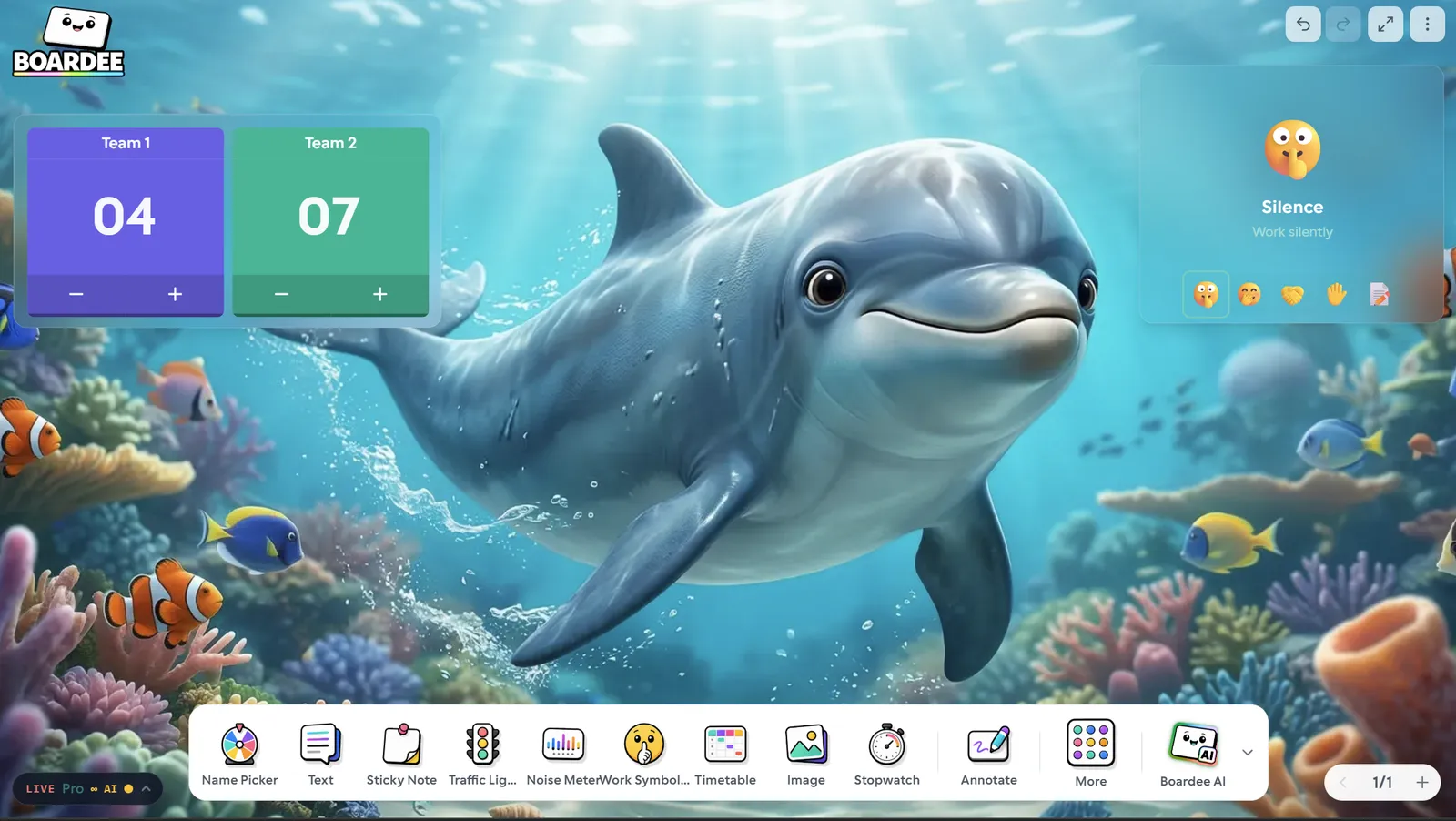
A Boardee board over a dolphin bay scene with group maker, scoreboard and timer
A day on the board

Moments Boardee wins back

Three beats from a real day with this class — and what's on the screen during each one.

Period 2 — group work that starts in 30 seconds

Instead of the eternal "can I be with Jayden?" negotiation, you hit Group Maker and random teams appear on the screen. Nobody argues with the board. The scoreboard goes up next to it, and suddenly the lab groups that usually coast are watching their points.


The last 6 minutes — review that doesn't feel like review

You type this unit's key terms into Wordee and the class solves the daily word together, arguing about vowel placement like it's a sport. Same vocabulary you'd have drilled anyway — but they asked to play it again tomorrow.

Any time voices creep up — the traffic light does the talking

You flip the traffic light to amber without breaking your sentence. Half the class self-corrects because the expectation is on the wall, not in your tone of voice. It's the difference between managing the room and narrating it.

The dock

The tools you'll use daily

Every one lives on the dock of your board, a tap away. Open a card to see how teachers run it.

All 38 tools →

Timer

Count down anything — transitions, tasks, tidy-ups.

Group Maker

Random groups in seconds — pairs, trios, whole tables.

Scoreboard

Points on the board — teams, tables, the whole term.

Poll

Ask the room, watch the bars race.

Traffic Light

Red, yellow, green — the whole room knows the mode.

Dice

Roll dice, flip coins, pick letters — randomness on tap.

QR Code

Type a link, get a scannable square in seconds.

YouTube

Play the clip without leaving your board.

The arcade

Three games your class will ask for

Type your topic and the AI fills any of these in under a minute — or write the content yourself, even faster.

All 25 games →
Wordee game tile

Wordee

Guess the hidden word in six tries.

Guessmoji game tile

Guessmoji

Decode the emoji puzzle.

Drop4 game tile

Drop4

Drop discs to connect four.

How the AI turns your topic into a game →
Zero setup

Ready before the bell rings.

Boardee runs in the browser with nothing to install and no accounts to manage — for you or your students. Build the board once and it's waiting every morning.

  • No student accounts — live games join with a 6-digit code
  • Works on any classroom computer or interactive panel
  • Your board saves itself — set it up once, reuse it all year
38

Tools on the dock, all included free

25

Class games in the arcade

0

Student accounts, logins or installs

60s

From typing a topic to a playable game

The noise meter alone changed my afternoons. My Year 2s watch it like a game and keep themselves quiet — no nagging from me.
Priya Nair Year 2 Teacher
Good to know

Questions from middle school teachers

Will middle schoolers think the games are babyish?

The arcade includes plenty with genuine edge — Wordee, Guessmoji, Categories, Spectrum, Drop4 — the kinds of games they already play on their phones. You control the content, so an 8th-grade science review looks nothing like a 2nd-grade spelling game.

Can students join games on their own devices?

Yes. For live games like Quiz, students join from any browser with a 6-digit code — no app, no account, no email. If your school is device-free, every game also works projected on the board with the whole class answering together.

How fast can I make a review game for tomorrow's class?

Type your topic — "cell organelles, grade 7" — and the AI drafts the content in under a minute. Skim it, edit anything you don't like, done. It's faster than finding a pre-made set that half-matches your unit.

Do my students or I need accounts?

No. Boardee works instantly with no login — your board saves on your device — and students never need accounts, even for live quizzes. A free account is only useful when you want your boards synced across school and home computers.

Boardee
Loved in staff rooms — free for teachers

Tomorrow's board, ready tonight

Open a board, drop on your daily tools, and walk in set up.