Type your topic
"The water cycle, Year 5" is all the Arcade needs — it fills your Link Up with real content in seconds.
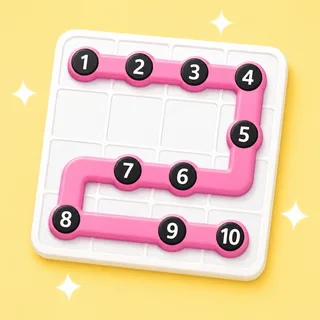
Connect the dots in one line.
One line, every square, no shortcuts. It's the quiet puzzle that resets a busy brain — hand it to early finishers and enjoy the hush.
Also known as: zip · connect the dots · one-line puzzle
"The water cycle, Year 5" is all the Arcade needs — it fills your Link Up with real content in seconds.
Skim, edit or reroll anything before the class sees it. You stay the teacher; the AI stays the intern.
Run it big on the board, or let students join from their own devices with a code and a name.
That's the goal — no rules to teach. Here's how a round of Link Up runs.
Every Arcade game starts from the same box: type what you're teaching and the content writes itself — questions, words, clues — ready for the board at the front of the room.
Game types in the Arcade — one topic box fills them all
From typing a topic to pressing play
Student accounts — a code and a first name is the whole login
Steps every time: type it, check it, play it
I typed 'the water cycle' and had a class quiz in ten seconds flat. It's the first tool my whole department adopted.
Yes — one puzzle, one player, self-paced. That's what makes it such a reliable early-finisher and calm-down activity.
Any browser on any device via a play link — or project one puzzle and let the class direct the path square by square.
Yes — the same connect-the-dots-in-order, fill-every-square logic puzzle, sized for a classroom moment.
Yes. Link Up is included on Boardee's free tier along with every game type.
Never. Students join with a code and a name — no emails, no passwords. Teachers don't need an account to try it either.
Same three steps, different game. Type a topic and pick your shape.

Type it in, check the content, press play. The Arcade does the rest.