1
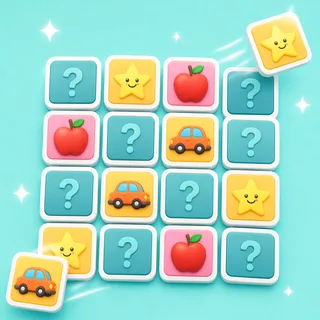
Flip a tile to reveal what's underneath.
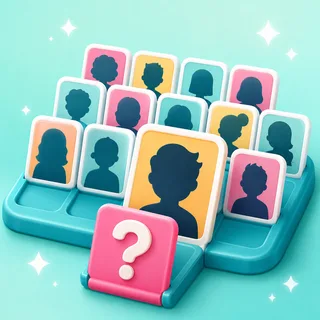
Every tile hides half of a pair — a word, a picture, a number, an answer. Tap or click one and it flips face up for the whole class to see.
Flip and match hidden tiles.
Concentration, but the pairs underneath are your content. Every flip is a small act of recall, and clearing the board feels like a victory lap.
Also known as: concentration · memory pairs
That's the goal — no rules to teach. Here's how a round of Memory Tiles runs.
Every tile hides half of a pair — a word, a picture, a number, an answer. Tap or click one and it flips face up for the whole class to see.
Turn over a second to test your memory: a match locks the pair face up, a miss flips both back — so every turn quietly maps a little more of the board.
Matched pairs stay up and count toward the score. Clear the last one in the fewest flips and the board throws its little victory lap.
The same Memory Tiles board works as a front-of-class challenge, a live device round, or take-home practice. Pick at press-play — nothing to rebuild.
Project one board and the whole class plays it as a memory challenge — students call which tile to flip and the class quietly maps the board together. No devices, no setup, no codes.
Zero devices · zero prepStudents go to boardee.app/join and type the six-digit code — phones, tablets, chromebooks, any browser. Everyone gets the same deck and races to clear it in the fewest flips.
Join code or QR · no student accountsShare one play link and the same deck becomes homework, revision or early-finisher work. Results roll in as each student finishes — pairs found and time, no chasing.
One link · results tracked for youIf your topic has a prompt and an answer — a word and its picture, a fact and its result, a country and its capital — it's already a Memory Tiles deck. Type the topic; AI writes the pairs.
The Arcade is a library of classroom games that all drink from the same topic box. When the board's been cleared, the identical pairs become a quiz, a matching game or a set of flashcards — same topic, new game, zero re-typing.
Ready-made from the Discover shelves, AI-built from your topic, or typed by hand — every door ends at the same play button.
Search the Discover shelves — curated games plus rounds shared by other teachers. Find one that fits and press play.
Type what you're teaching and the Arcade writes your Memory Tiles in under a minute. Check it, tweak anything, play.
Every Memory Tiles has a plain editor underneath — your exact list, row by row, no AI in the loop.
Every Arcade game starts from the same box: type what you're teaching and the content writes itself — questions, words, clues — ready for the board at the front of the room.
Game types in the Arcade — one topic box fills them all
From typing a topic to pressing play
Student accounts — a code and a first name is the whole login
Steps every time: type it, check it, play it
One to four players take turns flipping — a classic pairs duel. On the projector it works as a whole-class memory challenge with students calling tiles.
No. It plays perfectly on the projector; students can also join on their own devices with a code or play link.
Yes — pick the column count or let it size itself automatically, so a K-2 board can stay small while your test-prep board grows.
Yes. Topic and grade in, a deck of matching pairs out in under a minute — or write your own.
Never. Students join with a code and a name — no emails, no passwords. Teachers don't need an account to try it either.
Same three steps, different game. Type a topic and pick your shape.

Type it in, check the content, press play. The Arcade does the rest.