1
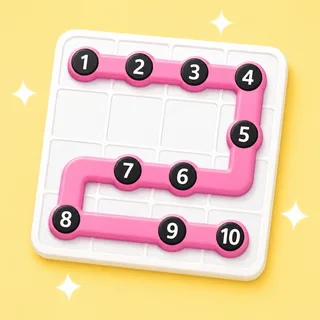
Start at a numbered dot.
Every puzzle opens on a grid of blank squares with a handful of numbered dots. Press the 1 to begin.
Connect the dots in one line.
One line, every square, no shortcuts. It's the quiet puzzle that resets a busy brain — hand it to early finishers and enjoy the hush.
Also known as: zip · connect the dots · one-line puzzle
That's the goal — no rules to teach. Here's how a round of Link Up runs.
Every puzzle opens on a grid of blank squares with a handful of numbered dots. Press the 1 to begin.
Trace from dot to dot in order without crossing your own line — a finger on the touchboard, or a mouse on any device.
The line has to pass through every square to finish. Take a wrong turn? Just drag back to undo — no penalty, no reset.
Link Up is a solo puzzle — but it slots into the day three ways: a whole-class warm-up on the board, the answer to “I'm done, what now?”, or a quiet reset in the calm-down corner.
Project one puzzle and the room solves it together — the class calls the next turn while you (or the kid whose turn it is) drags. A two-minute soft start with zero prep and zero devices.
On the board · zero devicesShare one play link and “I’m done, what now?” answers itself. Self-paced, self-marking — you just see who solved it and how quickly, no chasing and nothing to grade.
One link · self-pacedOne absorbing puzzle, no timer and no score, is a reliable way to settle a wound-up brain. Hand it to a student who needs a reset and enjoy the hush that follows.
No timer · no scorePress New and a brand-new path appears — always solvable, never the same twice. There's nothing to write and nothing to mark: the puzzle is the content.
The Arcade is a library of classroom games — most fill from one topic box you type once. Link Up is the odd one out: the puzzle is the content, so there's nothing to prepare. When you do have a topic to teach, that same box turns it into a quiz, a crossword or a matching game.
Every Arcade game starts from the same box: type what you're teaching and the content writes itself — questions, words, clues — ready for the board at the front of the room.
Game types in the Arcade — one topic box fills them all
From typing a topic to pressing play
Student accounts — a code and a first name is the whole login
Steps every time: type it, check it, play it
Yes — one puzzle, one player, self-paced. That's what makes it such a reliable early-finisher and calm-down activity.
Any browser on any device via a play link — or project one puzzle and let the class direct the path square by square.
Yes — the same connect-the-dots-in-order, fill-every-square logic puzzle, sized for a classroom moment.
Yes. Link Up is included on Boardee's free tier along with every game type.
Never. Students join with a code and a name — no emails, no passwords. Teachers don't need an account to try it either.
Same three steps, different game. Type a topic and pick your shape.

Type it in, check the content, press play. The Arcade does the rest.